


レンタカーご利用明細 E-Receipt の出力手順をご説明します。
1. WEBサイトを表示
下記URLの CARE RENTAL RECEIPT ページを表示します。 https://www.avis.com/en/reservation/ereceipt
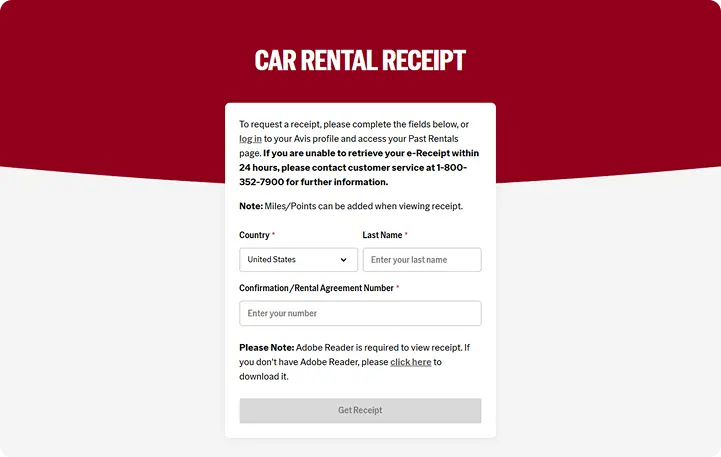
- レンタカーを利用した国を選択し、ドライバーの姓 (Family Name)、予約番号(JPが含まれる英数字11桁)または契約書番号
(Rental Agreement No./数字9桁)を入力し、
「GET RECEIPT」をクリックします。
ご返却24時間後以降よりご利用頂けます。
2. PDFの印刷
- 明細書が表示されますので、「明細書を印刷 Print a Copy of this PDF」をクリックして印刷します。